naingcn
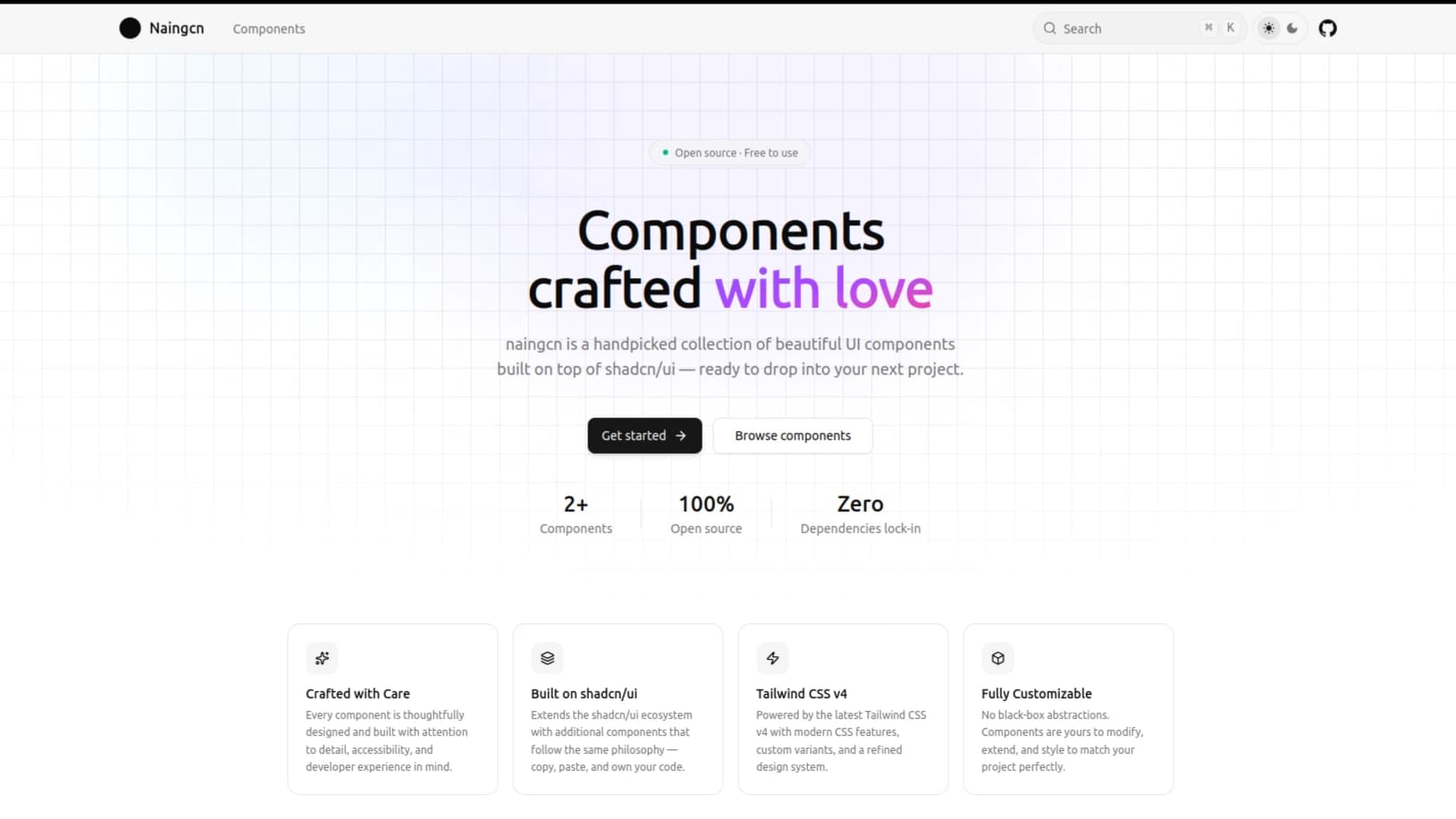
A shadcn/ui-compatible component registry built with Next.js, Tailwind CSS v4, and TypeScript. It ships custom components you can install via the shadcn CLI or copy directly into your project, paired with a Fumadocs documentation site for live previews and usage guides.
Components
Myanmar NRC Input (nrc-input)
An input component for Myanmar National Registration Cards (NRC) with format validation and support for both English and Burmese (Myanmar) script.
- Source:
src/registry/new-york/ui/nrc-input.tsx - Dependencies:
@radix-ui/react-select,class-variance-authority,clsx,lucide-react,tailwind-merge
Multistep Form (multistep-form)
A multi-step form wrapper built around react-hook-form and zod for step-level schema validation and state management.
- Source:
src/registry/new-york/ui/multistep-form.tsx - Dependencies:
react-hook-form,@hookform/resolvers,zod,class-variance-authority,clsx,tailwind-merge
Tech Stack
- Framework: Next.js, React, TypeScript
- Styling: Tailwind CSS v4,
clsx,tailwind-merge,class-variance-authority - Primitives: shadcn/ui (canary), Radix UI
- Forms & Validation: React Hook Form, Zod
- Documentation: Fumadocs
Getting Started
Make sure you have Node.js 18+ and pnpm installed.
git clone https://github.com/nainghtetlinn/naingcn.git
cd naingcn
pnpm install
pnpm dev
Open http://localhost:3000 to view the docs and component previews locally.
Project Structure
naingcn/
├── public/
│   └── r/                          # Generated shadcn CLI registry JSON payloads
│       ├── multistep-form.json
│       ├── nrc-data.json
│       ├── nrc-input.json
│       └── registry.json
├── src/
│   ├── __registry__/               # Auto-generated internal registry index & manifest
│   │   ├── index.ts
│   │   └── registry.autogenerated.json
│   ├── registry/                   # Source of truth for registry components & demos
│   │   ├── new-york/
│   │   │   ├── examples/
│   │   │   ├── lib/
│   │   │   └── ui/
│   │   ├── registry-examples.ts
│   │   ├── registry-lib.ts
│   │   └── registry-ui.ts
│   ├── app/                        # Next.js App Router (home, docs, OG images, search API)
│   ├── components/                 # Docs site UI and MDX preview components
│   ├── content/
│   │   └── docs/                   # Fumadocs MDX documentation pages
│   │       ├── components/
│   │       │   ├── index.mdx
│   │       │   ├── meta.json
│   │       │   ├── multistep-form.mdx
│   │       │   └── nrc-input.mdx
│   │       └── index.mdx
│   ├── lib/                        # Shared utilities and NRC dataset
│   └── scripts/                    # Registry build scripts (build-registry.mts)
├── components.json
└── package.json
Contributing
Bug reports, documentation fixes, and new components are welcome. Feel free to open an issue or submit a pull request on GitHub.
Adding a New Component
Every component in naingcn touches five parts of the codebase: the component source, a live preview demo, the registry definitions, the generated registry build output, and the MDX documentation page.
1. Create the component file
Add your component under src/registry/new-york/ui/:
src/registry/new-york/ui/<your-component>.tsxThis file is the source of truth published to the registry. If your component relies on a separate helper or dataset, place it under src/registry/new-york/lib/<your-lib>.ts.
2. Create a demo file
Create an example component under src/registry/new-york/examples/ to render inside the documentation preview:
src/registry/new-york/examples/<your-component>-demo.tsx3. Register the component and demo
Register the UI component in src/registry/registry-ui.ts by adding an entry to the ui array:
name: kebab-case identifier (e.g.,"my-component")type:"registry:ui"title: human-readable display namedescription: brief summary of what the component doesdependencies: array of external npm packages required by the componentregistryDependencies: array of shadcn/ui primitives used (e.g.,["button", "input"])files: array pointing to your source file(s) innew-york/ui/
Register the demo in src/registry/registry-examples.ts by adding an entry to the examples array:
name:"<your-component>-demo"type:"registry:example"registryDependencies: array containing your component slug and any shadcn primitives used in the demofiles: array pointing to your file innew-york/examples/
4. Rebuild the registry
Run the registry build scripts in order:
# 1. Generate src/__registry__/index.ts and src/__registry__/registry.autogenerated.json
pnpm build:registry:internal

# 2. Generate installable JSON payloads in public/r/<your-component>.json
pnpm build:registry:external
5. Write the documentation
Create an MDX file at src/content/docs/components/<your-component>.mdx following the existing component docs:
- Frontmatter with
titleanddescription <ComponentPreview name="<your-component>-demo" />for the interactive preview- Installation section with CLI and manual copy-paste tabs
- Usage section with code examples
- API Reference table documenting props
Finally, add your component slug to the pages array in src/content/docs/components/meta.json so it appears in the sidebar navigation.
Component Checklist
| Step | Task | File / Command |
|---|---|---|
| 1 | Component source | src/registry/new-york/ui/<name>.tsx |
| 2 | Demo example | src/registry/new-york/examples/<name>-demo.tsx |
| 3a | Register UI component | src/registry/registry-ui.ts |
| 3b | Register demo | src/registry/registry-examples.ts |
| 4 | Build registry | pnpm build:registry:internal then pnpm build:registry:external |
| 5a | Documentation page | src/content/docs/components/<name>.mdx |
| 5b | Sidebar navigation | src/content/docs/components/meta.json |